Creative tool · Artificial intelligence
MZ Studio
From brief to interface, in one workshop.
A space to scope a website, choose a direction, work with several models and keep track of versions.
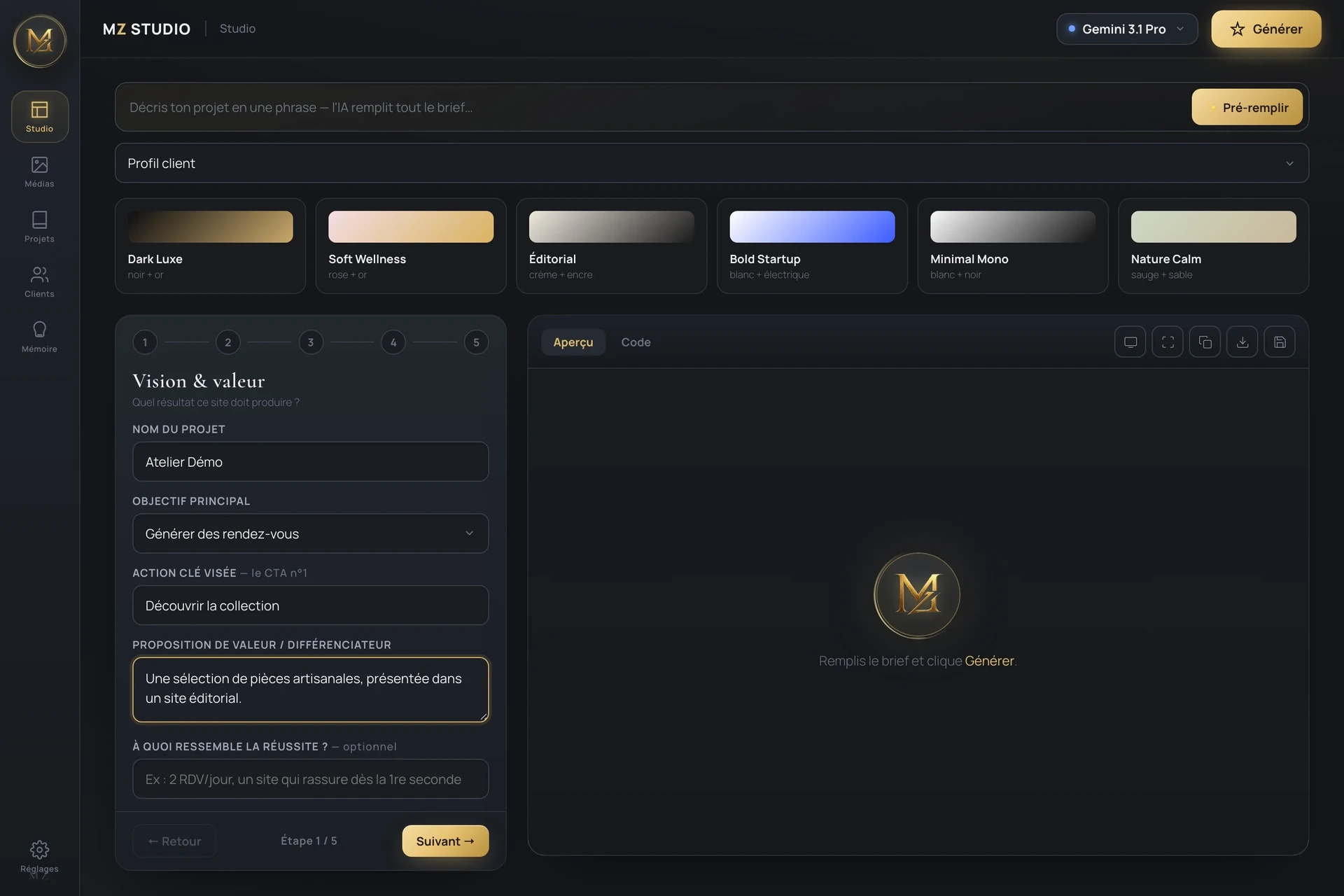
Giving a frame to working with AI.
A website starts with choices: audience, goal, content, style. Jumping straight to generation often leaves these decisions in a conversation that is hard to find again.
I designed MZ Studio as a personal workshop: the brief and the settings stay next to the preview, with access to the code and the project history.
A brief that stays in view.
Scope before generating
The brief separates goal, brand, visual direction and content. Presets give a starting point, without replacing the project’s choices.
Stay in control of the trials
The preview and the code sit side by side with the preparation work. Versions and export make it possible to pick up a direction and carry on with development.
Inside MZ Studio.
- 01Scope
- 02Choose
- 03Iterate
- 04Export
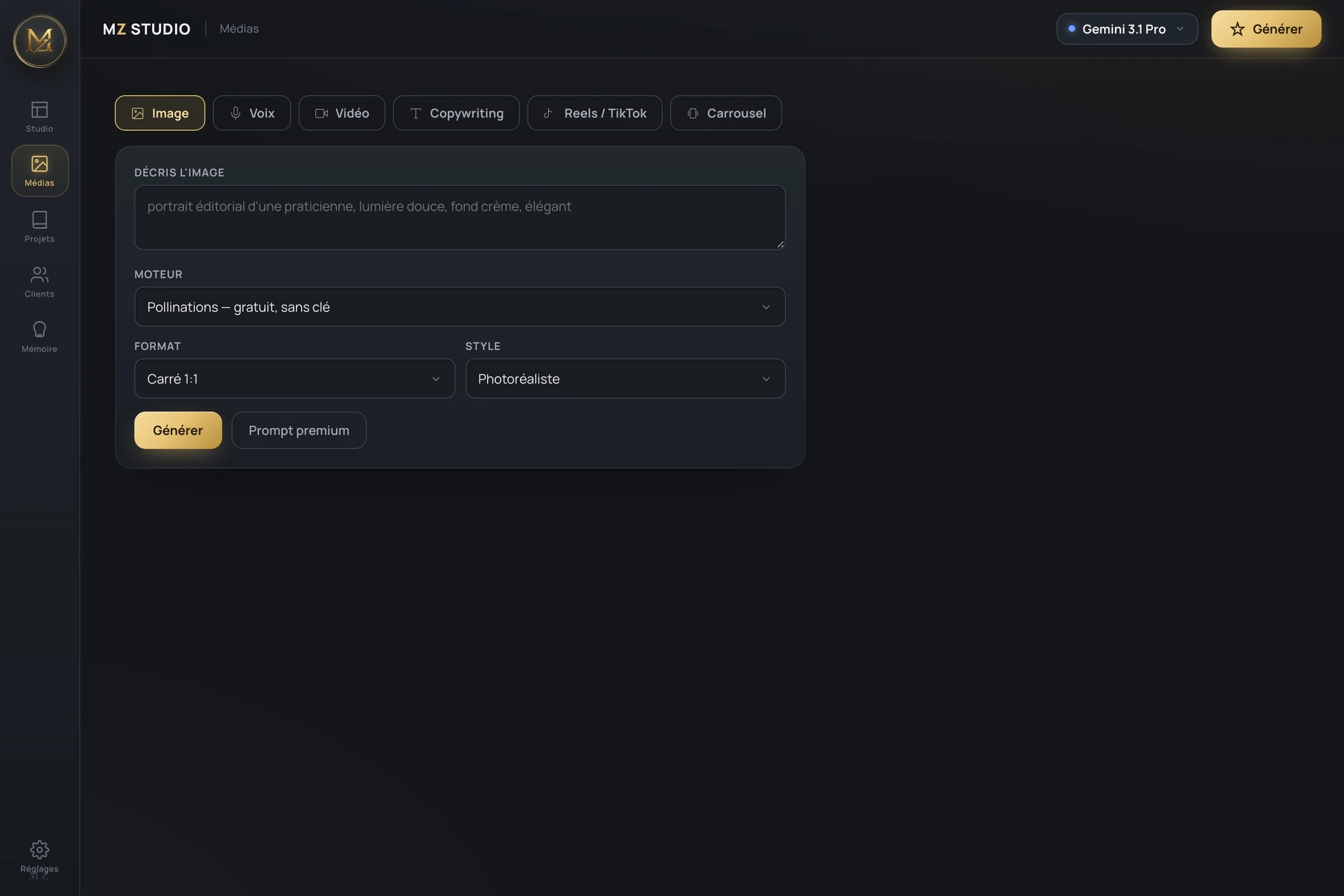
A workshop to design and pick up again.
The delivered scope
- A five-step brief: vision, brand, style, content and requirements.
- Visual directions, client profiles and a memory of reusable rules.
- A model selection interface and configurable generation connectors.
- A site preview, a code view, versions and HTML export.
- A media workshop to prepare images, voices, videos and carousels.
What it changes
Scoping, trials and versions sit in a single interface, rather than in separate files and conversations.
MZ Studio remains a personal, local tool. The screenshots show its interface with a fictitious brief; generation requires configured API access.